Private photo vault for iPhone
A private photo vault,
locked in your iPhone.
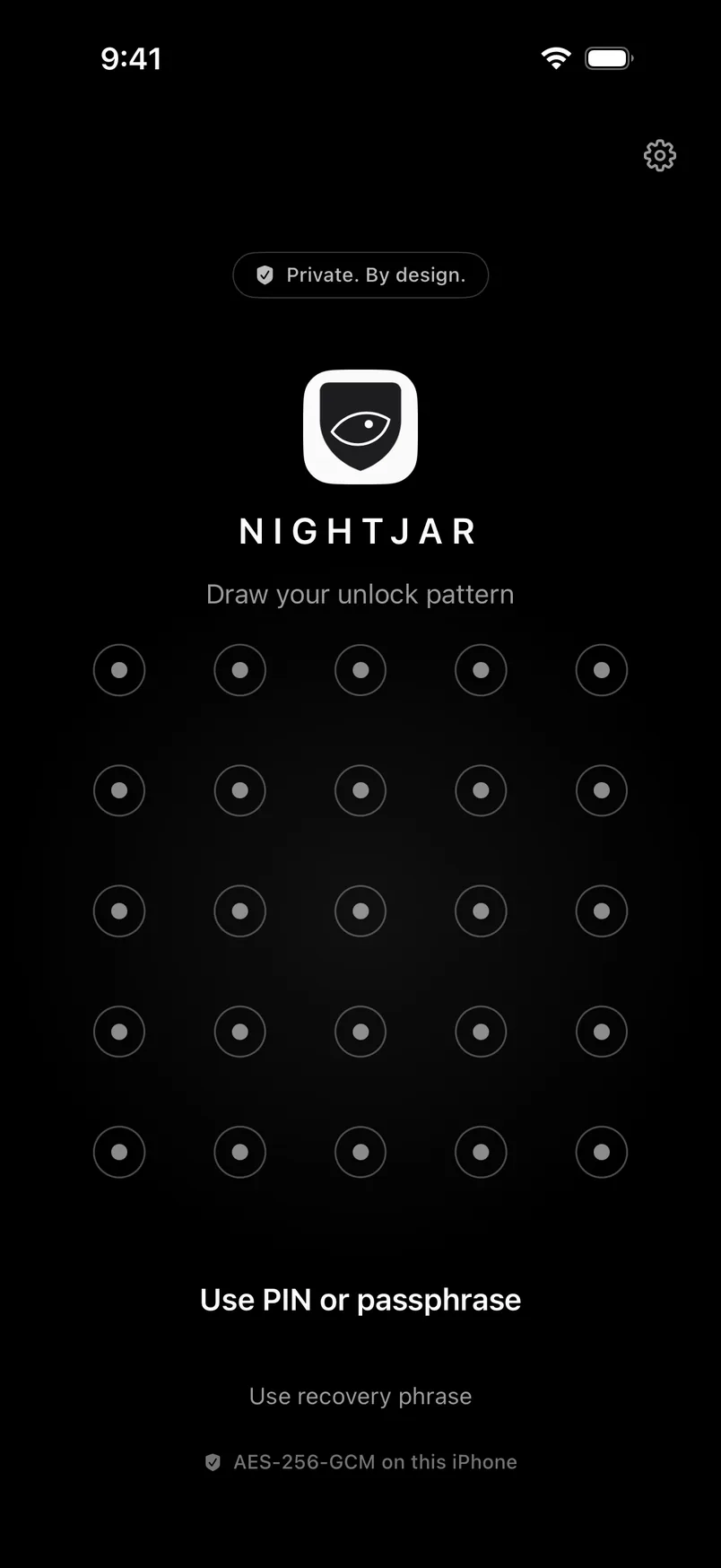
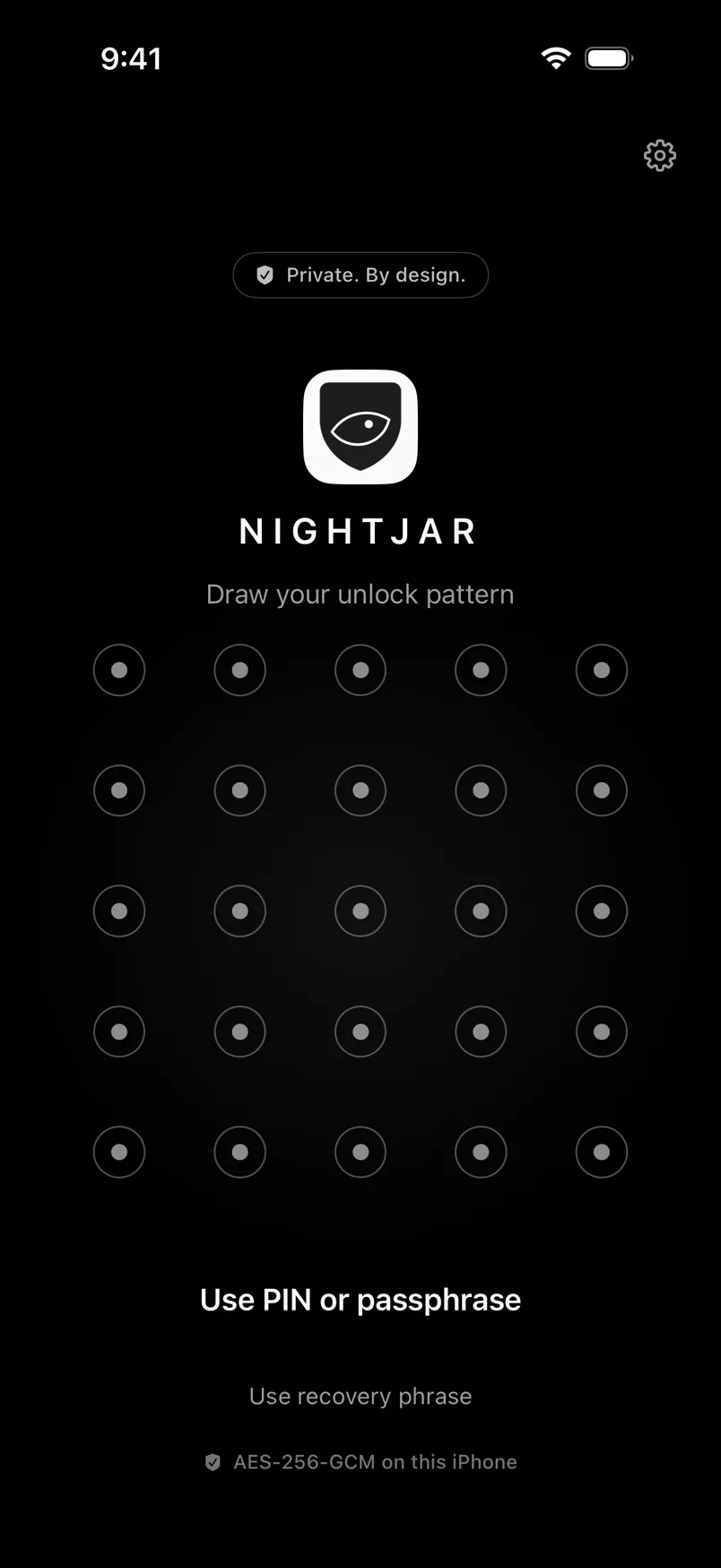
Photos, videos, notes and files, encrypted on your iPhone with AES-256-GCM, with keys bound to the iPhone's Secure Enclave. A decoy for duress, working disguises, intruder photos. No account. Free to start.
- We can't see your photos — we hold no key.
- Everything stays on your iPhone. Nothing is uploaded.
- Ad-free with Pro. We don't sell your data.
- AES-256-GCM
- Secure Enclave
- No account
- No analytics by default
- iOS 18+

No accounts
No sign-up, no user id — to us you're a complete ghost. Nothing on our side knows you exist.
No email
We never ask for an email or a phone number to use the app.
No backdoors
We hold no key, so there's nothing to hand over to anyone, and no backdoor to add. Secure from the ground up, by design.
Under the hood
You don't have to
trust us.
Every vault, reduced to what actually protects it. No master key, no account, nothing we could be made to hand over.
const vault = {
 cipher:     "AES-256-GCM",   // files, thumbnails, index
 key:        random(256),    // one per vault — no master key
 unlock:     code → slow derivation → Secure Enclave,
 tiedTo:     "this iPhone",
 account:    null,
 weHold:     nothing,
}

// Only your code or recovery phrase opens it.
What makes it different
Nothing to find.
Nothing to argue about.
Each vault, its own key
Every vault is encrypted on your iPhone with AES-256-GCM, with keys bound to the iPhone's Secure Enclave. A pattern, PIN or passphrase opens one vault and says nothing about the others.
Same with one vault or eight
Nothing on the phone shows how many vaults you have. A wrong code is simply wrong, with no list to browse.
Every guess needs this iPhone
Each attempt goes through the Secure Enclave, so a copy of the files can't be attacked on another computer.
How it works
Four moves.
Then nothing to see.
- 01
Choose a code
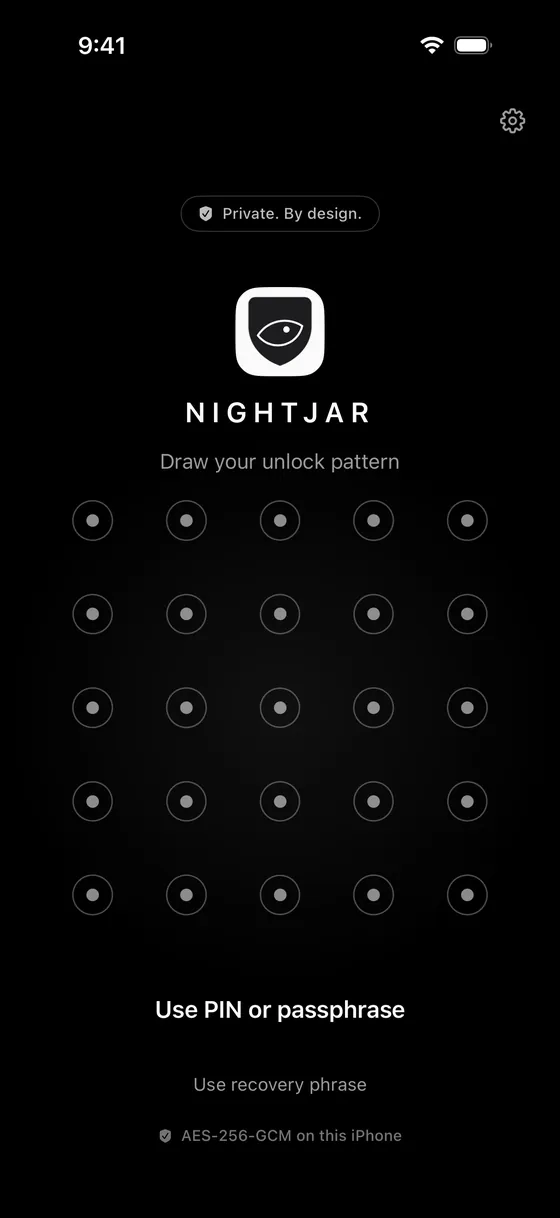
A pattern, a PIN or a passphrase. It never leaves the phone and is never stored; it is turned into the key that opens this vault, through the iPhone's Secure Enclave.
- 02
Write down twelve words
Every vault gets a recovery phrase, shown once. It is the only way back in if you forget the code, and nobody can reset it for you.
- 03
Add what's private
Import from Photos, shoot straight into the vault, scan a document, or send files from any app. Each one is encrypted on your iPhone with AES-256-GCM as it arrives.
- 04
Lock, or show the decoy
Flip the phone face-down or walk away and it locks. If someone insists on seeing inside, a second code opens a decoy vault with its own photos.
The full list, free and Pro, with anchors: every feature.
01DuressPRO
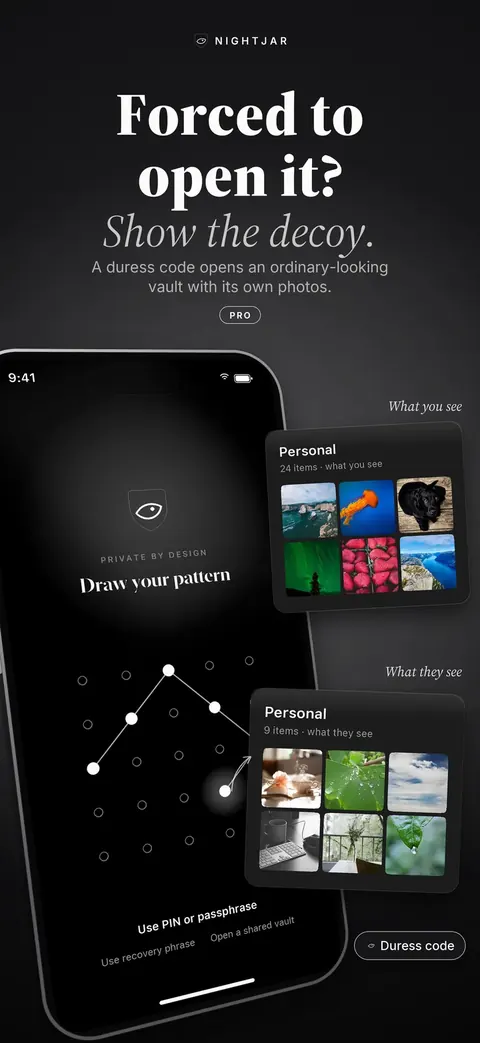
Forced to open it?
Show the decoy.
A second code opens an ordinary-looking vault with its own photos. Nothing on the phone shows that any other vault exists, so there is nothing to argue about.
- Hide mode by default: nothing is deleted
- Optional destroy mode, chosen at setup
- The decoy can't see, count or open your other vaults
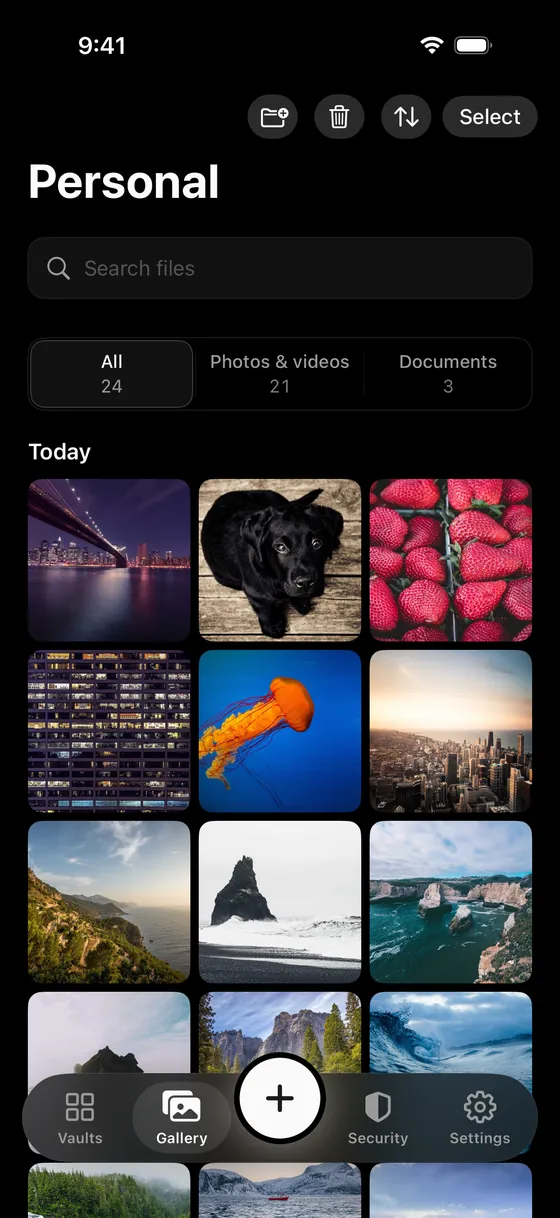
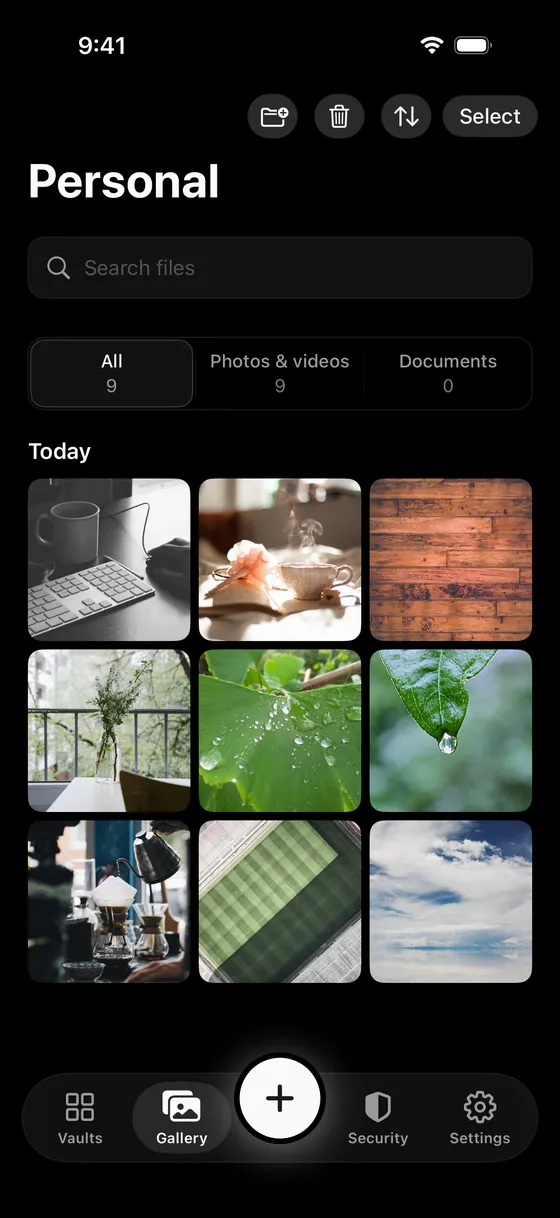
02DisguisesPRO
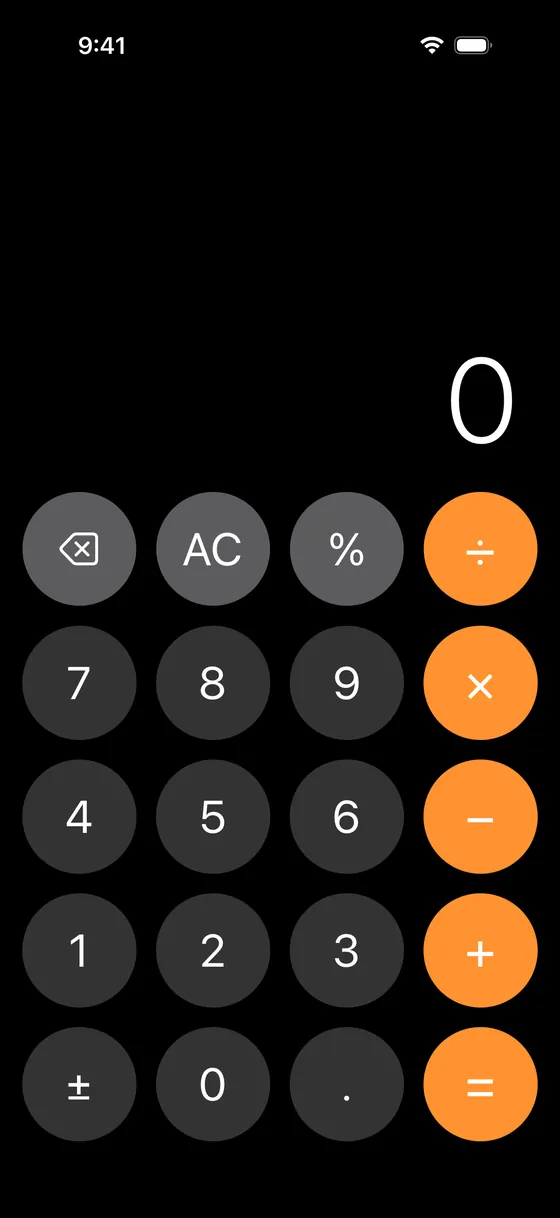
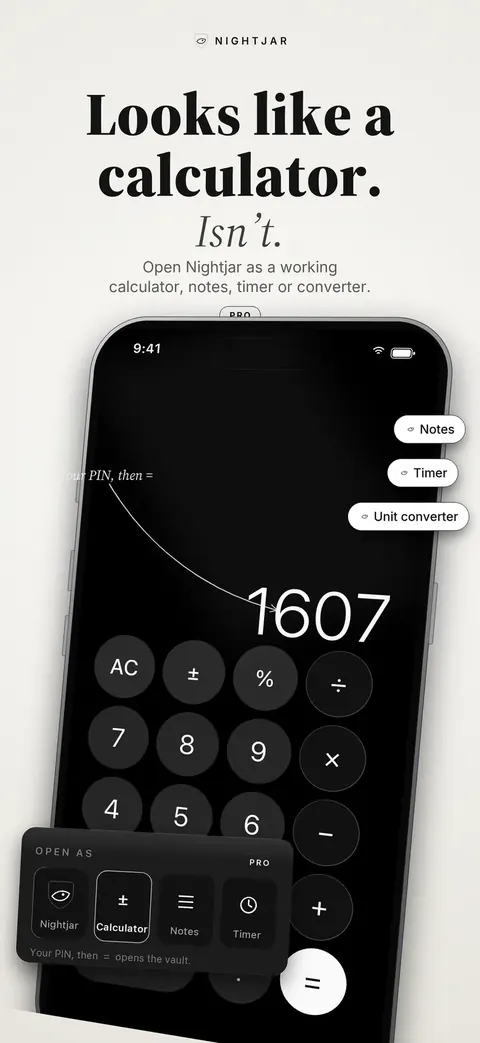
Looks like a calculator.
Isn't.
Open Nightjar as a working calculator, notes list, unit converter, timer or a plain error screen, each with a matching app icon. Your disguise code, typed the way that tool expects, brings up the lock screen.
- Every disguise is a real, working tool
- Using the tool normally never counts as a wrong attempt
- Try each one free before buying
Change the Home Screen icon too: a disguise's own icon, an abstract one, or Nightjar in another style. PRO
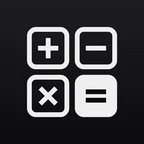 Calculator
 Notes
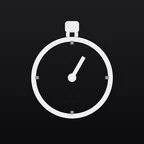 Timer
 Orb
 Wave
 Drop
 Dark
 Gold on black
 Midnight blue
03Security
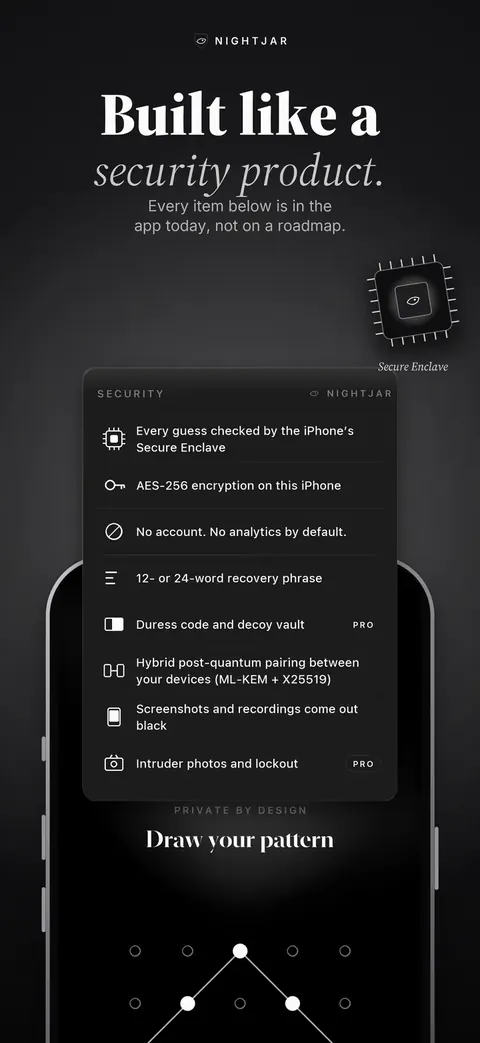
Built like a
security product.
Every row below is in the app today unless it says coming. The design has not yet had an independent audit; one is planned.
Read the security overview
- 01
Every guess goes through the iPhone's Secure Enclave
A copy of the files can't be attacked on another computer.
- 02
AES-256-GCM encryption, keys bound to the Secure Enclave
Everything is encrypted on your iPhone with AES-256-GCM, with keys bound to the iPhone's Secure Enclave. Each vault has its own random 256-bit key.
- 03
No account. No analytics by default.
Nothing to sign up for, and this version sends no statistics at all.
- 04
12- or 24-word recovery phrase
The only way back in if you forget your code. Split it into 3 shares if you like; any 2 do the same job. We can't reset it.
- 05PRO
Duress code and decoy vault
A second code opens a separate vault with its own contents.
- 06COMING
Hybrid post-quantum pairing
Keys exchanged between your devices use hybrid post-quantum (ML-KEM + X25519) encryption. Comes with device pairing in a later version.
- 07
Screenshots and recordings come out black
An open vault is treated like a password field. You can turn this off.
- 08PRO
Intruder photos and lockout
Wrong attempts slow down; the front camera can take a photo on the try you choose.
- 09COMING
YubiKey as a second key
A hardware key over NFC, in addition to your code. More hardware keys planned.
- 10COMING
Encrypted private chat
One-to-one messages encrypted end to end between Nightjar users, using the same on-device keys. Planned.
- 11COMING
Proximity auto-lock
The vault locks when a paired device moves out of Bluetooth range, not only on idle or flip. Planned.
- 12COMING
Encrypted voice and video messages
Record and exchange voice and video inside a vault, encrypted on the device like everything else. Planned.
04LockingFREE
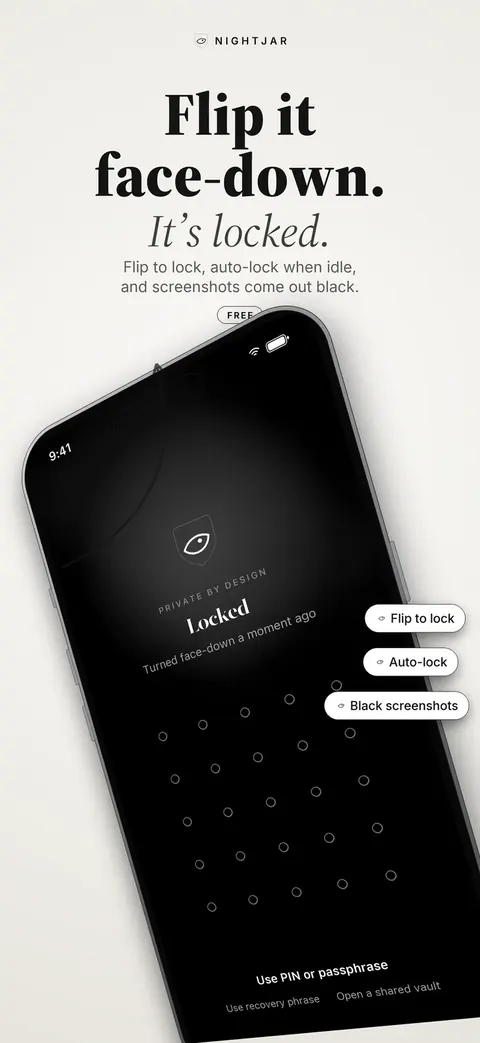
Flip it face-down.
It's locked.
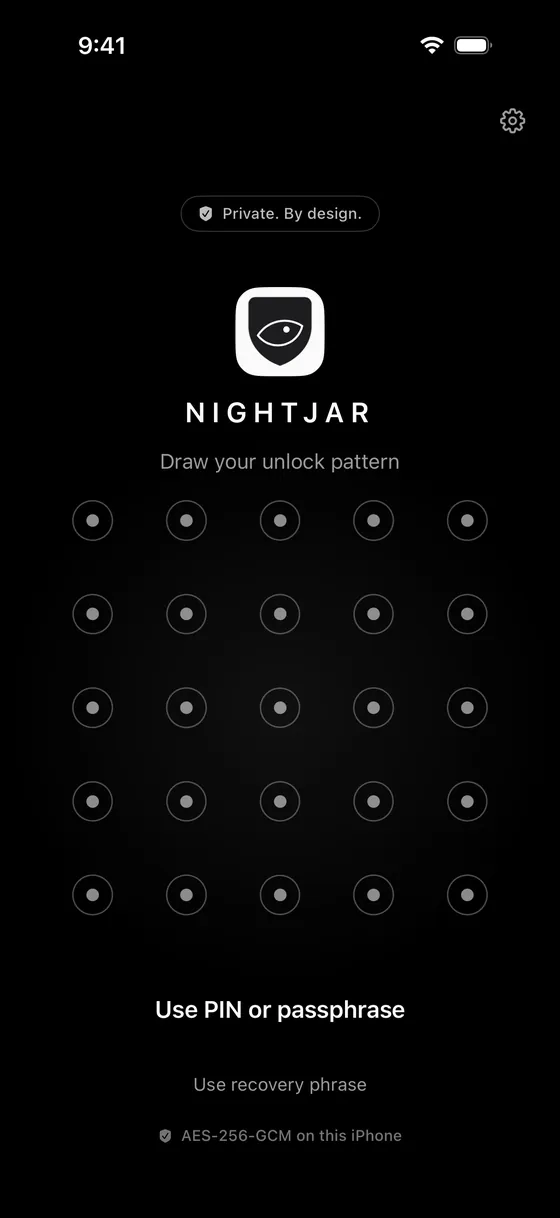
Turn the phone over and the vault locks. Walk away and it locks when idle. Screenshots and screen recordings of an open vault come out black.
- Flip to lock
- Auto-lock when idle
- Black screenshots and recordings
05Intruder photosPRO
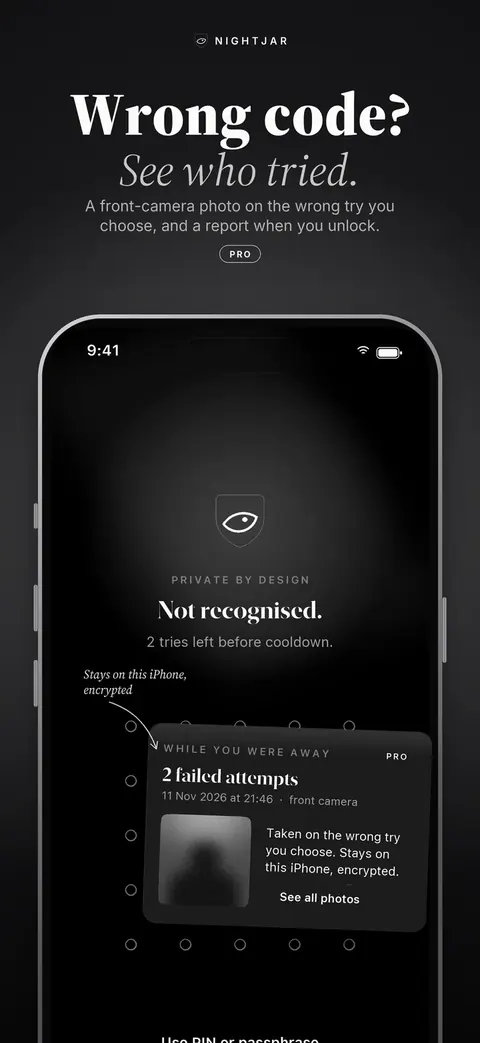
Wrong code?
See who tried.
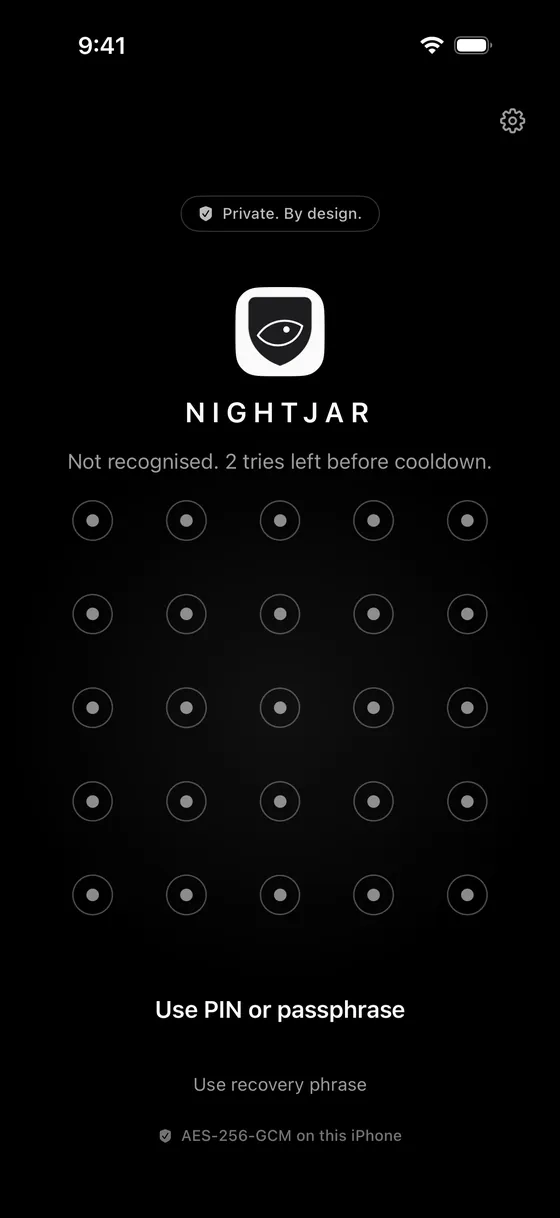
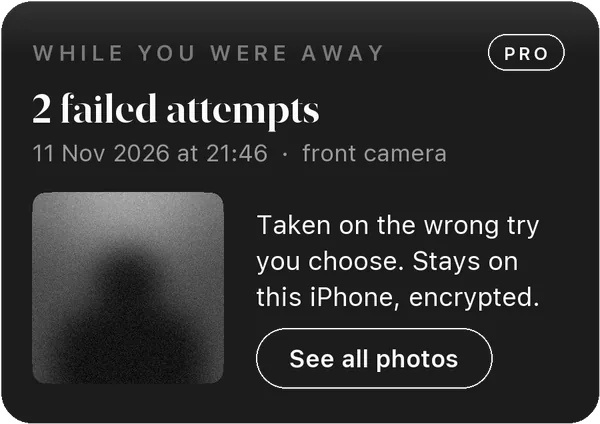
After the wrong attempt you choose, the front camera takes a photo. The next time you unlock, you see how many tries there were and who made them. The photos stay on this iPhone, encrypted.
- Photo on the 1st, 2nd or 3rd wrong try
- Wrong attempts slow down: 30 seconds after 3, 15 minutes after 10
- Optional erase after 10 wrong attempts
06Encrypted backupCOMING SOON
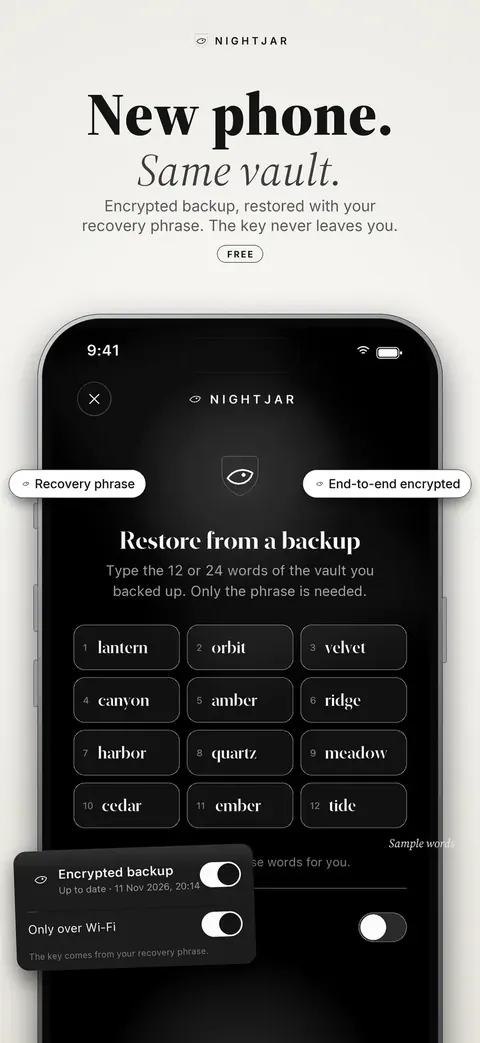
New phone.
Same vault.
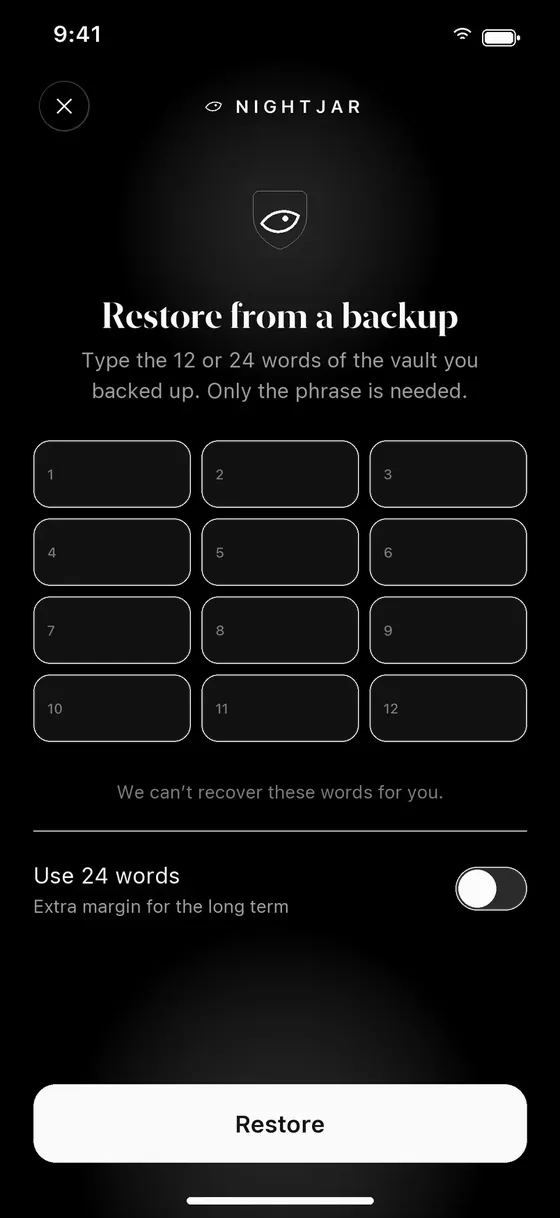
Encrypted backup to your own iCloud, restored on a new iPhone with your 12 or 24 words alone. The backup key comes from the recovery phrase, never from your pattern or PIN, so a copy of the backup can't be guessed at. Built and tested; ships in a later version.
- Off by default, per vault
- Padded, randomly named pieces in your own iCloud
- We have no access to your iCloud account
Recovery phrase · sample
Written down from the old phone. Only the words are needed.
07EditorFREE
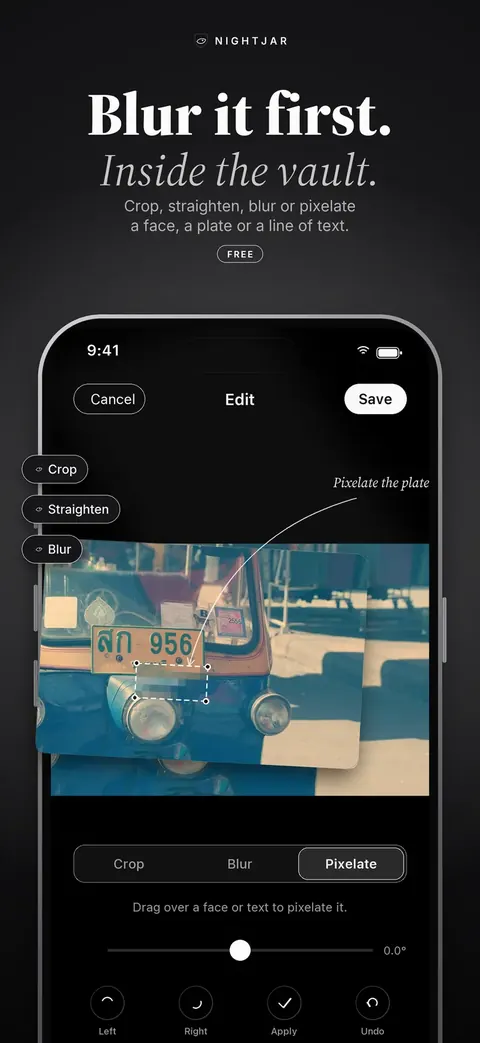
Blur it first.
Inside the vault.
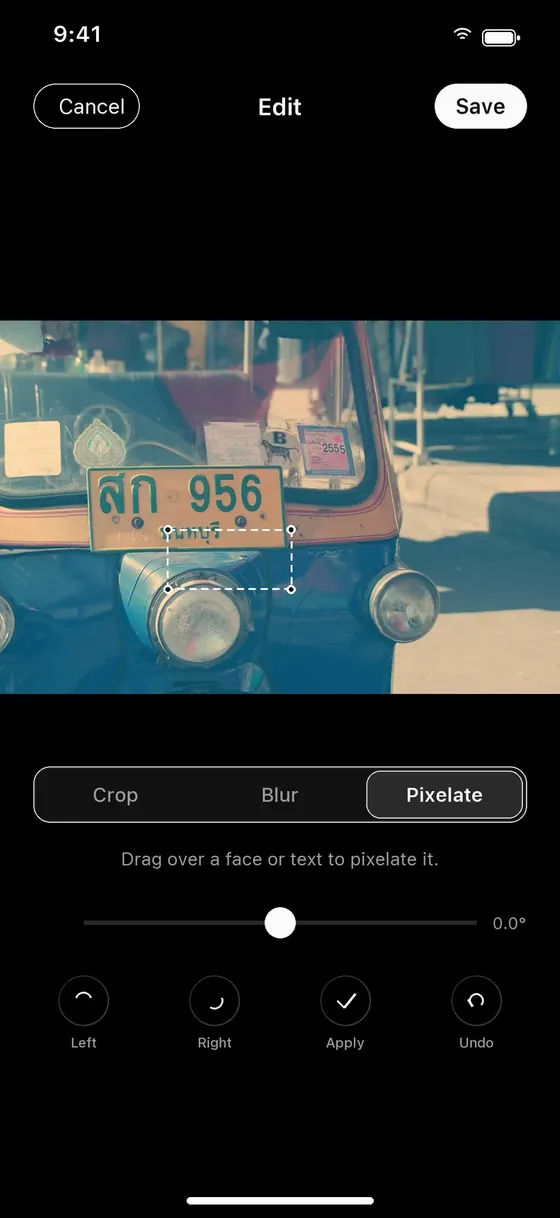
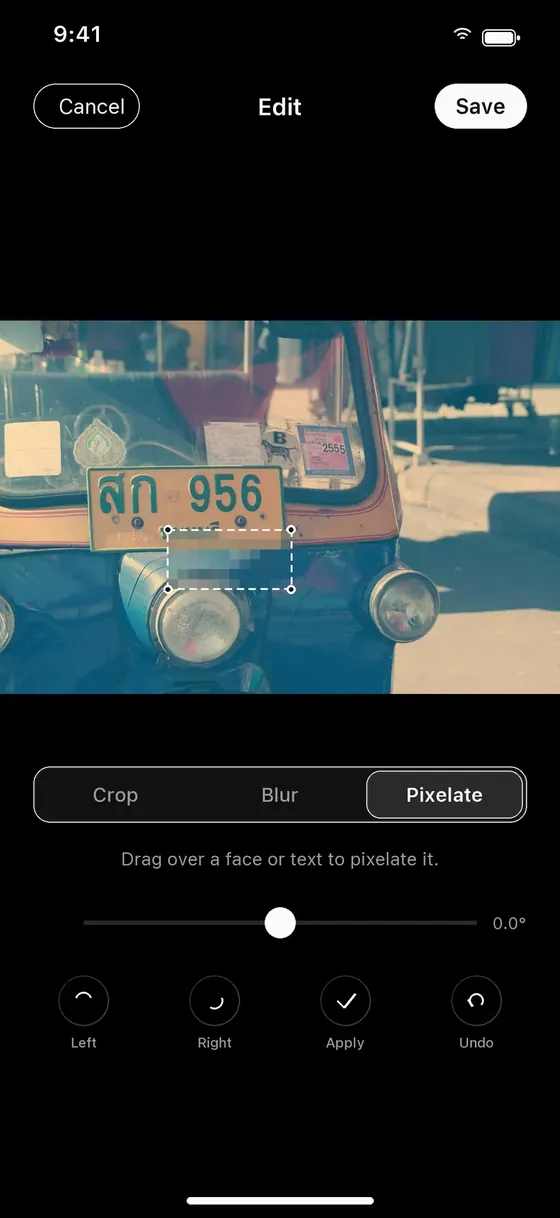
Crop, straighten, blur or pixelate a face, a number plate or a line of text without the photo ever leaving the vault.
- Crop and straighten
- Blur or pixelate a region
- Original or optimised import quality
08Send securelyPRO
Send it sealed.
Open it free.
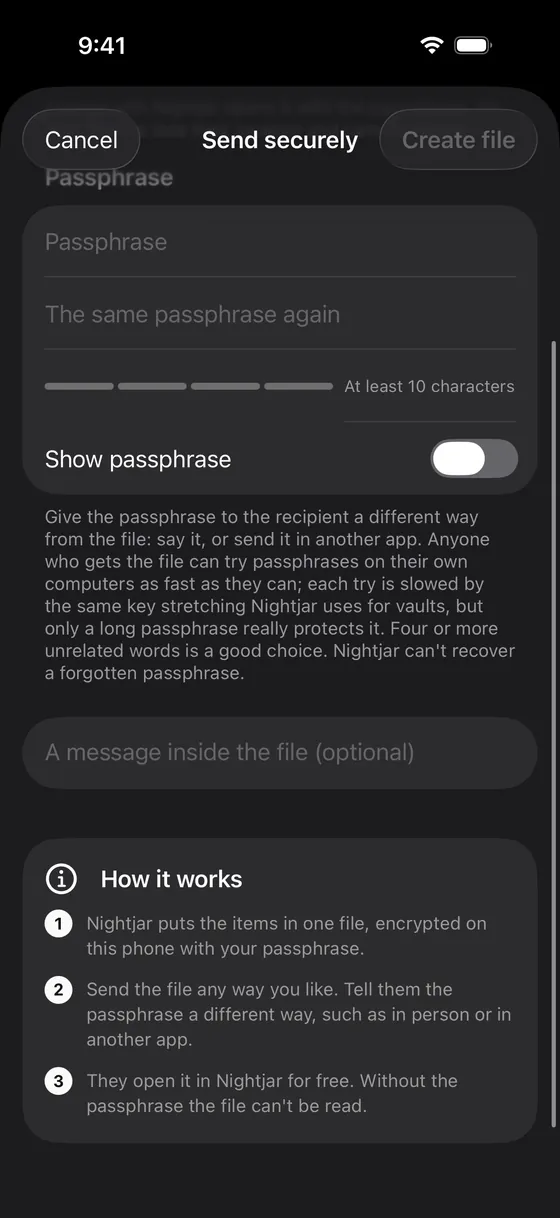
Put photos and files into one file, encrypted on your iPhone under a passphrase you choose. Send it any way you like and tell them the passphrase a different way. They open it in Nightjar, free.
- Made on the phone; it never touches our server
- Photos in the file lose their location and camera details
- A How it works card on both sides, so nobody guesses
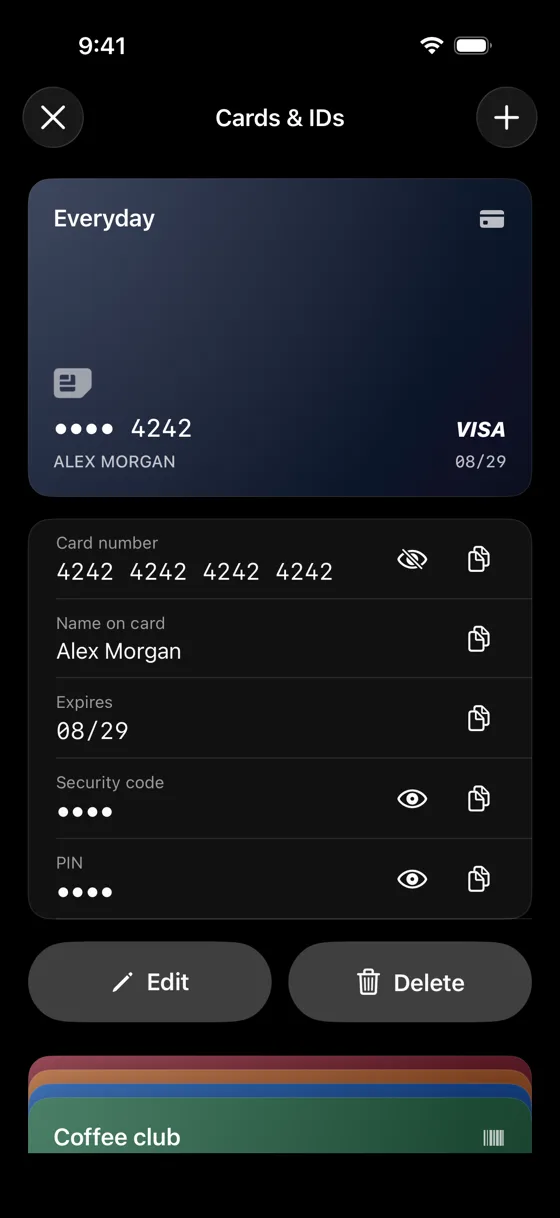
09Cards & IDsFREE
Your wallet,
out of sight.
Bank cards, passports, ID cards and loyalty cards, stacked like a wallet. Numbers stay hidden until Face ID or your code says it's you, and anything you copy clears itself in 30 seconds.
- Scan a card or passport; the phone reads the fields, nothing is uploaded
- Loyalty barcodes at full brightness for the shop scanner
- 5 cards per vault free; unlimited with Pro
10Passwords & 2FAFREE
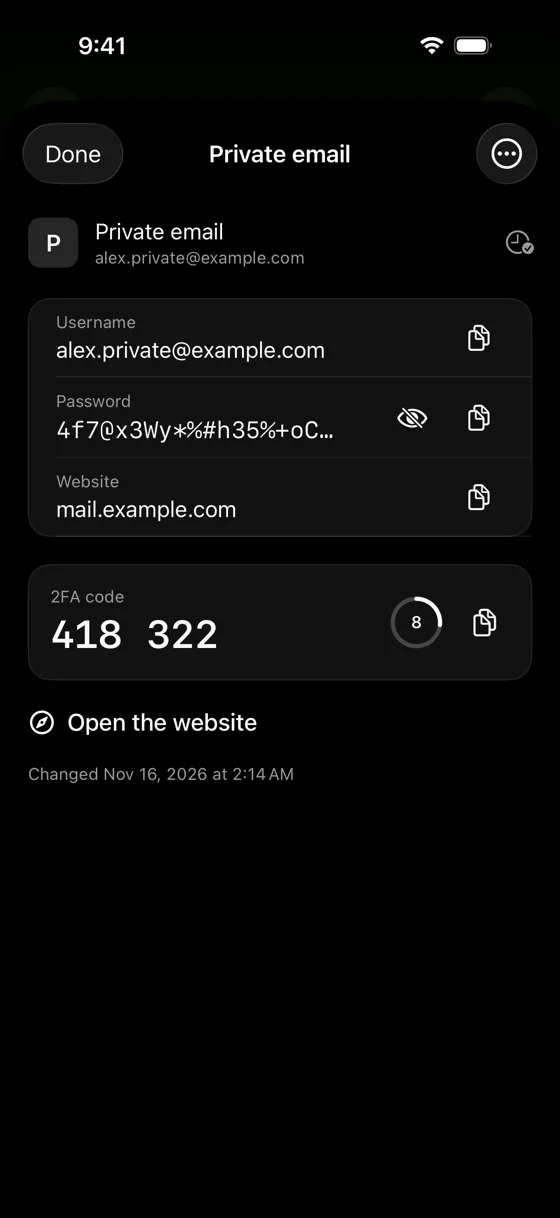
The logins
nobody should see.
A hidden place for your most private accounts, inside the vault, next to nothing that points to it. Make strong passwords on the phone. With Pro, keep 2FA codes and bring logins in from Apple Passwords, 1Password or Bitwarden.
- 10 logins per vault free; unlimited with Pro
- 2FA codes made on the phone from the site's QR code (Pro)
- Export any time, free. Not a replacement for your everyday password app
Also in 1.0
The small things,
done carefully.
Smaller features in this version. Where one could give other vaults away, as a storage total, a search or a delete might, it is built not to.
Split recovery
Split your recovery phrase into 3 shares (SLIP-39); any 2 open the vault, one alone reveals nothing. The phrase still works too. Free.
Search
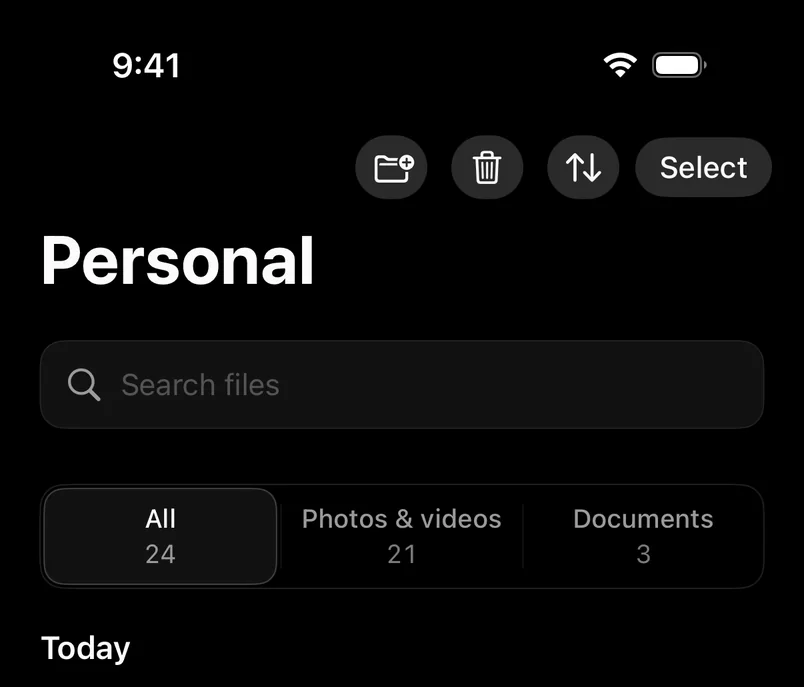
Find items by name, or by the month or year they were taken. Only ever inside the vault that is open.
Storage and Free up space
See what each vault takes up and clear Recently deleted and leftovers. Never a total that would hint at other vaults.
Delete just one vault
Remove one vault and leave the rest. It asks for that vault's own code first.
Paste a photo in
iOS's own Paste button: no permission prompt, and the photo's metadata is stripped like any import.
Help that works offline
Common questions built into the app, and a short What's New after an update, shown only inside a vault.
On the App Store
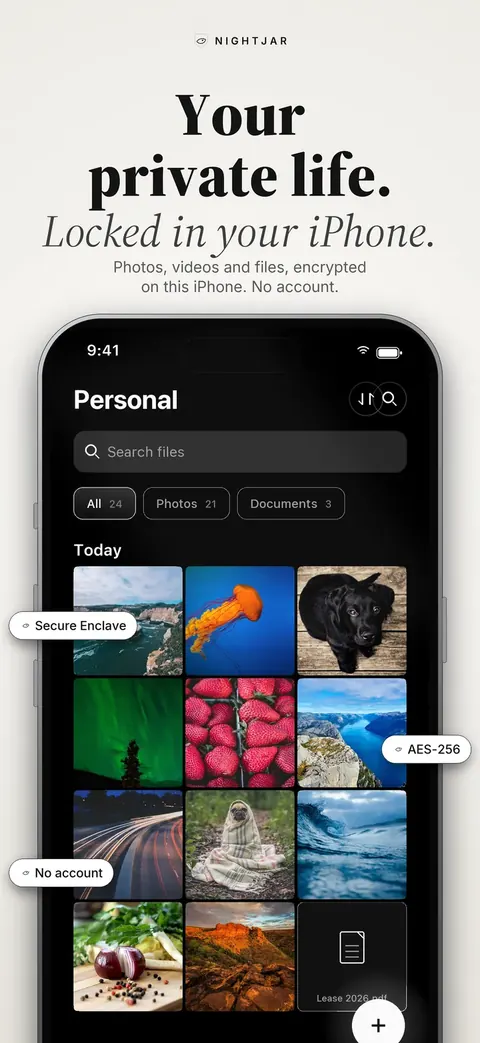
Eight screens.
Two themes.
The app follows your iPhone's appearance: Ivory by day, graphite by night. So does this site.
The screenshots show the app in English.
Your devices
iPhone and iPad today.
Mac and Android next.
One app for your iPhone and iPad, and one purchase for both. The Mac version is on its way and the same purchase will cover it. Android is coming too, with the same encryption.
- Available now
iPhone & iPad
One app for both · iOS and iPadOS 18 or later
- Buy Pro once: it covers your iPhone and iPad with the same Apple Account
- The same protection on both: AES-256-GCM, keys bound to the Secure Enclave
- On iPad: the gallery uses the wider screen, with keyboard shortcuts
On iPad in 1.0, one window at a time, and vaults aren't synced with your iPhone.
Scan with your iPhone or iPad camera, or

- Coming soon
Mac
macOS 15 or later · Secure Enclave on Apple silicon
- The same purchase covers it: buy once for iPhone, iPad and Mac
- Locks on sleep, lid close, screen lock, screensaver and user switch
- Hidden from screenshots, screen recording and screen sharing
- Secure keyboard entry, Touch ID where your Mac has it, left out of Time Machine
- No ads on the free plan
Not on the Mac: the camera, intruder photos, disguises and flip to lock.
Mac App Store — coming soon
- Coming soon
Android
Samsung, Google Pixel and more · Android 10 or later
- Same encryption and file formats as on iPhone
- Send securely files and recovery phrases work across both
- Screenshots and screen recording fully blocked
- Keyboards can't learn what you type
- Keys held in the phone's hardware (StrongBox or TEE)
Pro on Google Play is a separate purchase: with no accounts, nothing can carry it across stores.
Google Play — coming soon
Coming soon
Not in 1.0. No dates until each one is ready.
COMING
Nightjar for Mac
Covered by the Pro you already bought.
COMING
Nightjar for Android
Samsung, Pixel and other Android 10+ phones.
COMING
Encrypted backup and restore
To your own iCloud. Restore on a new device with your recovery phrase alone, no login.
COMINGPRO
Walk-away lock
Your Mac or iPad locks when your iPhone walks away.
COMING
Sync between your devices
Later: the same vault on your iPhone, iPad and Mac.
Free and Pro
Free to start.
Pro when you need more.
Nothing in a free vault is ever locked away from you: at a limit you can still view, export and delete; only adding more needs Pro.
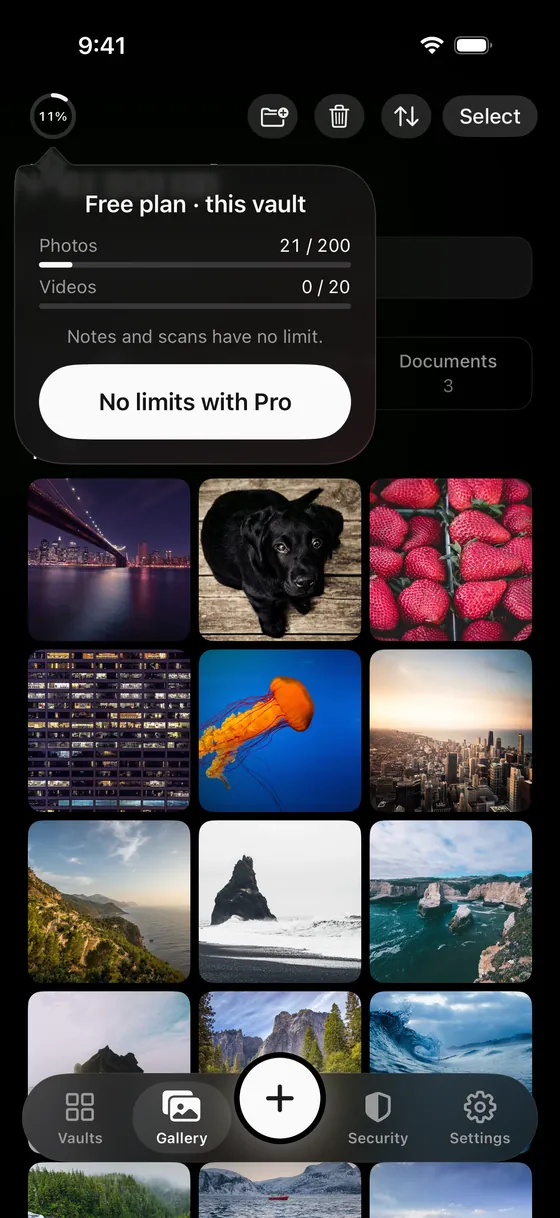
On the free plan, a ring shows how full each vault is. Tap it for the counts.
Free
$0forever
Everything you need to keep a private place on your iPhone.
- 3 vaults, each with up to 200 photos and 20 videos
- Notes, scans and other files: unlimited
- Face ID, pattern, PIN or passphrase
- 12- or 24-word recovery phrase, or split it into 3 shares (any 2 restore it)
- Camera and document scanner that save straight into the vault
- Photo editor: crop, straighten, blur or pixelate
- Flip to lock, auto-lock when idle, black screenshots
- Folders, seven sorts, filters, search, share-sheet import, paste a photo in
- Storage per vault, with Free up space
- Lock Screen control and 34 languages
- Cards & IDs and passwords: 5 cards and 10 logins per vault
- A small ad at the bottom of the gallery, never tracked
Pro
$17.99per year, after a 7-day free trial
Or $3.99 a month, or $34.99 once for Lifetime: pay once, yours for good. Family plans for up to 6 people: $39.99 a year or $79.99 once.
- No ads
- More vaults, no photo or video limits
- Duress code that opens a decoy vault
- Disguises: calculator, notes, unit converter, timer or an error screen, each with a matching icon
- Intruder photos and a report when you unlock
- Send securely: photos and files in one encrypted file, opened free in Nightjar
- Alternate app icons
- Unlimited cards and logins, 2FA codes, and import from Apple Passwords, 1Password and Bitwarden
- YubiKey as a second key (coming)
One purchase covers your iPhone and iPad, and your Mac when it arrives. Android is sold separately on Google Play. Devices
Pro is sold through Apple. The yearly plan starts with a 7-day free trial for new subscribers; payment is charged to your Apple Account when you confirm the purchase, or at the end of the trial. Subscriptions renew unless cancelled at least 24 hours before the end of the period, in your Apple Account settings. Prices in US dollars; local prices are shown in the app. The App Store shows the price in your own currency before you buy.
Questions
Asked often.
Answered plainly.
A few quick answers. The rest are on the FAQ page.
What is Nightjar?
I have forgotten my pattern, PIN or passphrase. Now what?
Do I need an account?
What is a decoy vault?
How do the disguises work?
Who can see intruder photos?
Your private life.
Locked in your iPhone.
Free to start. No account to make. Nothing to remember except the code you choose.
Point your iPhone camera at the code to open the App Store.